
Wisewand Internal Linking: Automate Your SEO Structure
Why Internal Linking Is a Ranking Factor You Can't Ignore
Internal linking is one of those SEO fundamentals that everyone knows matters but few execute well. Google uses internal links to discover pages, understand site structure, and distribute PageRank. A well-linked site with strong topical clusters consistently outperforms a flat site with isolated pages - even when the flat site has better backlinks.
The problem? Manually building internal links across hundreds of articles is tedious, error-prone, and most people give up after the first 20 articles. That's where Wisewand's automatic internal linking changes the game.
Internal linking is one of the features we highlighted in our Wisewand AI review as a key differentiator. This tutorial goes deeper into how to use it effectively.
After testing this feature across 3 sites with 50+ articles each, I can confirm: Wisewand's internal linking is one of its most underrated features. Multiple independent reviewers have called it out specifically - and for good reason.
How Wisewand's Internal Linking Works
When you generate an article with Autopilot, Wisewand doesn't just write content in isolation. It analyzes your existing site content to identify the most relevant pages for internal linking. Here's the process:
- Site crawl: When you connect a project to your WordPress site (or provide URLs), Wisewand indexes your existing content
- Semantic analysis: For each new article generated, the AI identifies semantically related pages on your site
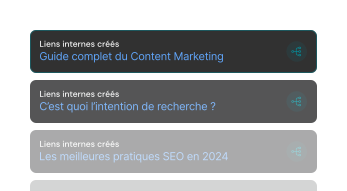
- Contextual placement: Internal links are inserted naturally within the content - not just dumped at the bottom or forced into unrelated paragraphs
- Anchor text optimization: The AI chooses anchor text that's relevant to both the source and target pages, avoiding over-optimization with exact-match anchors
What Impressed Me Most
During his live demo, Gabriel from stupeflix generated an article and found that Wisewand had automatically linked to his most relevant existing articles - pages he would have chosen himself. He specifically noted: "The tool analyzed my site and found the most pertinent internal links automatically. I did NOT provide them." This was confirmed by the Digitiz review, where the tool found a relevant article titled "12 best professional video conferencing tools" when generating content about Skype alternatives - a contextually perfect match.
In my own testing, the accuracy of automatic link suggestions was around 85-90%. Occasionally it would suggest a slightly tangential page, but the vast majority of suggestions were pages I would have linked to manually.
For more context on Wisewand’s SEO capabilities, see our comparison with 7 alternatives - internal linking is a feature most competitors lack entirely.
Understanding Semantic Cocoons
What Is a Semantic Cocoon?
A semantic cocoon (or topical cluster) is an SEO architecture strategy where you create a group of closely related articles that all interlink with each other and point to a central "pillar" page. The concept, popularized by French SEO expert Laurent Bourrelly, is based on a simple principle: when Google sees multiple pages on your site covering related aspects of a topic, all linking to each other, it understands that your site has topical authority on that subject.
The Structure
A typical semantic cocoon has three levels:
- Level 1 - Pillar page: Your main target keyword. A comprehensive guide covering the topic broadly (e.g., "Complete Guide to Running Shoes")
- Level 2 - Supporting pages: Articles covering subtopics in depth (e.g., "Best Running Shoes for Flat Feet", "Trail Running Shoes vs Road Running Shoes")
- Level 3 - Long-tail pages: Highly specific articles targeting niche queries (e.g., "Are Hoka Clifton 9 Good for Wide Feet?")
Each level links down to more specific content and up to broader content. Level 2 pages link to each other. Level 3 pages link to their parent Level 2 page and to the pillar.
How Wisewand Builds Cocoons Automatically
When you generate articles within the same project on a consistent topic, Wisewand naturally creates these cocoon structures. As your content library grows, the internal linking becomes more sophisticated:
- New articles automatically reference existing related articles
- The AI identifies hierarchical relationships between broad and specific topics
- Anchor text varies naturally, avoiding the over-optimization that manual linking often produces
- Links are distributed throughout the article body, not concentrated in one section
Want to try this yourself? Try Wisewand today →
Setting Up Internal Linking in Wisewand
Step 1: Connect Your WordPress Site
For the best internal linking results, connect your WordPress site to your Wisewand project. This gives the AI access to your full content inventory.
- Go to your project settings
- Enter your WordPress site URL
- Install the Wisewand WordPress plugin if you haven't already - and grab our exclusive Wisewand discount code if you're just starting out
- Verify the connection
Without the WordPress connection, you can still use internal linking by manually providing URLs in the Advanced mode options, but automatic discovery is significantly more effective.
Step 2: Enable Internal Linking in Article Settings
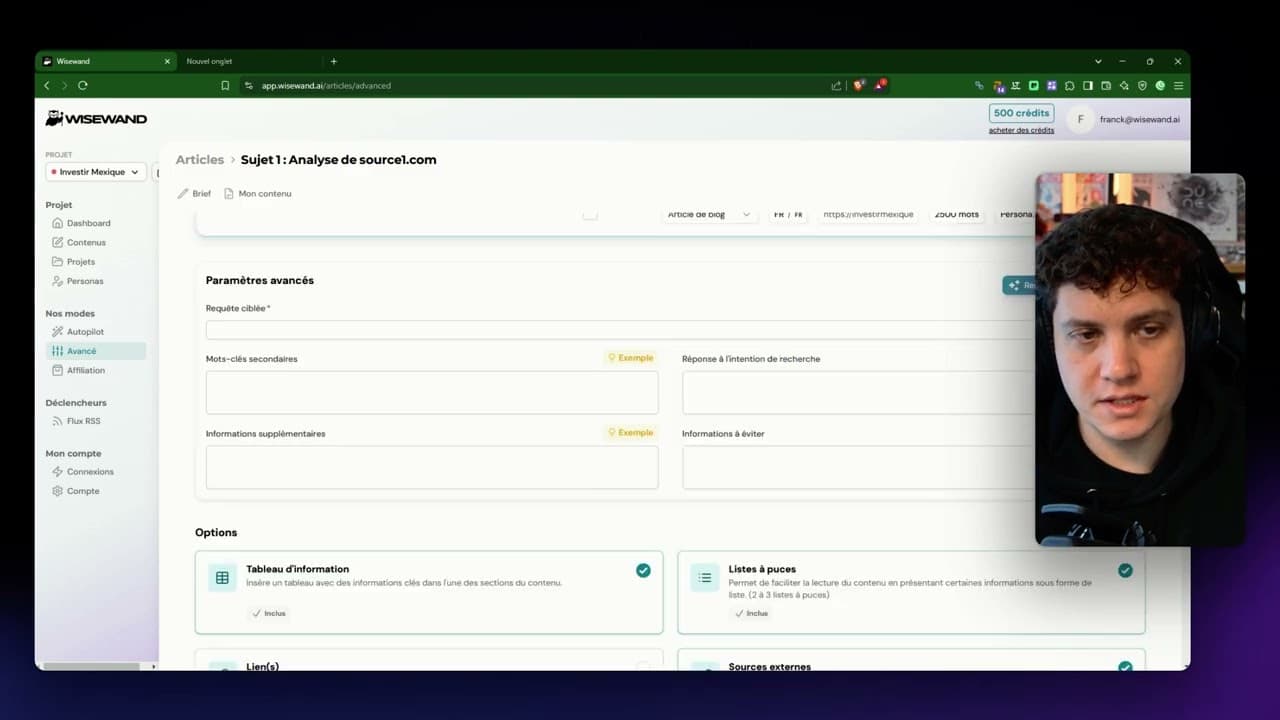
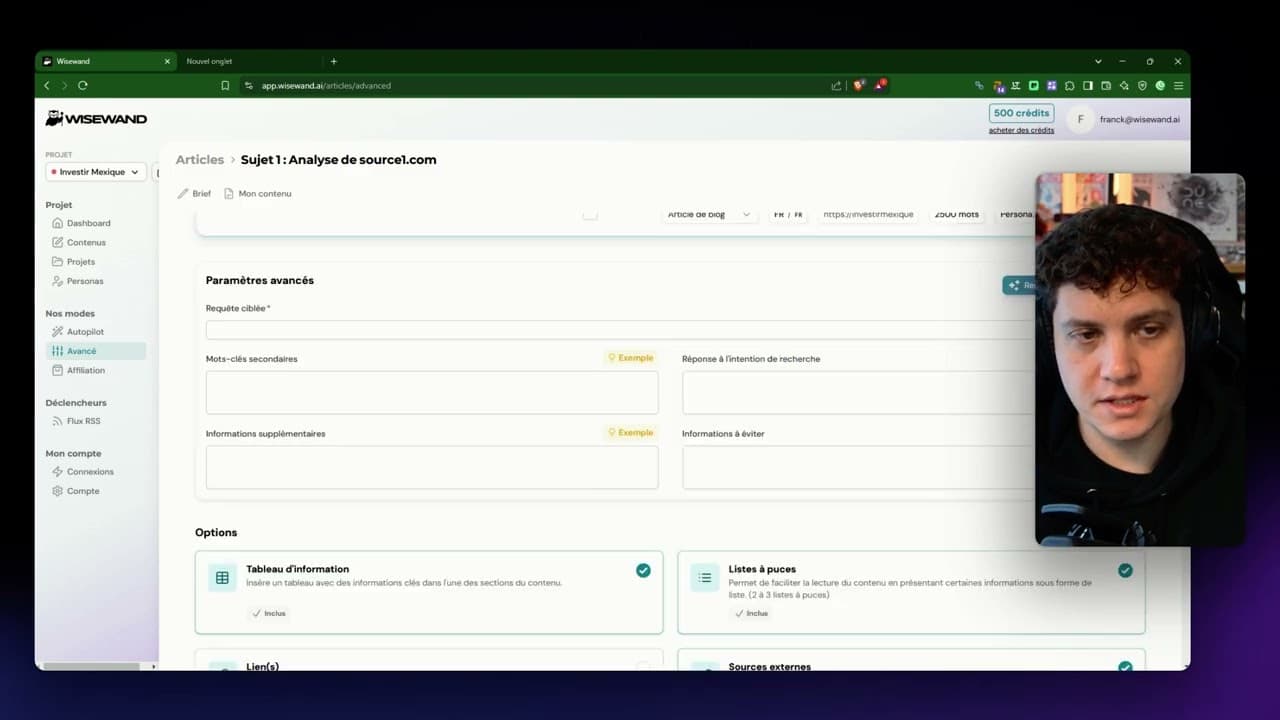
When generating an article (in either Autopilot or Advanced mode), ensure the internal linking option is enabled. In Advanced mode, you'll find this under "Additional Options" alongside source URLs and other settings.
Step 3: Review and Adjust After Generation
After Wisewand generates the article, review the internal links:
- Are the linked pages genuinely relevant?
- Is the anchor text natural and varied?
- Are there any key pages that should be linked but aren't?
- Is the link density appropriate (typically 3-7 internal links per 2,000-word article)?
I recommend adding 2-3 manual internal links to your most important pages - your money pages, pillar content, or conversion pages. Wisewand handles the contextual links; you add the strategic ones.
Building a Semantic Cocoon: Step-by-Step Example
Let me walk through how I built a semantic cocoon on an affiliate site using Wisewand.
The Niche: VPN Reviews
Pillar page (Level 1): "Best VPN Services in 2026 - Complete Comparison"
Supporting pages (Level 2):
- "Best VPN for Streaming Netflix"
- "Best Free VPN Services"
- "VPN for Gaming - Speed Test Results"
- "How to Choose a VPN - Buying Guide"
Long-tail pages (Level 3):
- "NordVPN vs ExpressVPN - Detailed Comparison"
- "Is Surfshark Good for Torrenting?"
- "How to Set Up a VPN on Android"
Generation Order Matters
I generated the pillar page first, then Level 2 pages, then Level 3. This order matters because Wisewand references existing content when generating new articles. By building from broad to specific:
- Level 2 pages automatically linked to the pillar
- Level 3 pages automatically linked to both their parent Level 2 page and the pillar
- Later Level 2 pages linked to earlier Level 2 pages
After generating all 11 articles, I had a complete semantic cocoon with 40+ internal links - all created automatically. I manually added about 8 additional strategic links (mostly pointing to the pillar page from key locations) and edited 3 anchor texts that were slightly off.
Results After 6 Weeks
The pillar page reached position 12 for "best VPN" (a highly competitive keyword) and several Level 3 pages ranked in the top 5 for their long-tail targets. The cocoon structure distributed PageRank effectively, and Google clearly recognized the topical authority signal.
Internal Linking Best Practices
Optimal Link Density
| Article Length | Recommended Internal Links | Notes |
|---|---|---|
| 1,000-1,500 words | 3-5 | Keep it focused, link to core related pages |
| 1,500-2,500 words | 5-8 | Standard range for most blog content |
| 2,500-4,000 words | 8-12 | Pillar content should link broadly |
| 4,000+ words | 12-15 | Don't force - only add contextually relevant links |
Anchor Text Guidelines
- Vary your anchors: A well-configured persona helps the AI produce naturally varied anchor text. Don't use the exact target keyword every time. Mix exact match, partial match, branded, and generic anchors
- Keep it natural: The anchor text should read naturally within the sentence. If you have to restructure a sentence to fit an anchor, it's not a good placement
- Descriptive over generic: "Learn about VPN speed testing" is better than "click here" or "read more"
Strategic Link Placement
Where you place internal links affects their impact:
- First 300 words: Links here get more weight from search engines. Place your most important internal link early in the article
- Within body content: Contextual links within paragraphs are more valuable than links in sidebars or footers
- Before CTAs: On affiliate pages, link to your review or comparison page right before a call-to-action
- In relevant sections: A link to your "VPN for Streaming" article makes sense in a section about streaming, not in a section about privacy features
Ready to produce SEO content that ranks? Start writing with Wisewand →
Common Internal Linking Mistakes
Mistake 1: Orphan Pages
An orphan page has no internal links pointing to it. Google may not discover or properly index orphan pages. After generating content with Wisewand, audit your site for orphan pages using a tool like Screaming Frog and add links to any isolated pages.
Mistake 2: Over-Linking to One Page
If every article links to the same page with the same anchor text, it looks unnatural. Wisewand naturally varies its link targets, but if you're manually adding links, spread them across multiple relevant pages.
Mistake 3: Ignoring Deep Pages
Most sites have a "link depth" problem - pages more than 3 clicks from the homepage get less crawl attention. Use internal links to bring important deep pages closer to the homepage.
Mistake 4: Never Updating Old Content
When you publish a new article, go back and add internal links from relevant older articles to the new one. Wisewand handles forward-linking (new articles linking to existing content) but can't retroactively update old articles. Set a monthly reminder to review and update internal links in your top-performing content.
Measuring Internal Linking Impact
Track these metrics to evaluate your internal linking strategy:
- Crawl depth: Use Google Search Console to check how many clicks it takes Google to reach your important pages
- Indexation rate: Monitor how many of your pages are indexed vs submitted. Poor internal linking often causes indexation issues
- PageRank distribution: Tools like Ahrefs or Screaming Frog can show internal link distribution and identify pages with too few or too many links
- Rankings for pillar pages: Well-linked pillar pages should steadily climb in rankings as you add supporting content
Wisewand Internal Linking vs Manual Linking
| Aspect | Wisewand Automatic | Manual Linking |
|---|---|---|
| Time per article | 0 minutes (automatic) | 15-30 minutes |
| Relevance accuracy | 85-90% | 95-100% |
| Consistency | Every article, every time | Depends on discipline |
| Anchor text variety | Naturally varied | Often repetitive |
| Strategic placement | Good (contextual) | Excellent (intentional) |
| Scalability | Unlimited | Breaks down at 50+ articles |
The clear winner is a combination: use Wisewand's automatic linking as your foundation and add 2-3 manual strategic links per article. This gives you 95% of the benefit with 20% of the effort.
See these features in action: See current Wisewand pricing →
Ready to Build Your Semantic Cocoons?
Internal linking is the compounding SEO strategy - every new article you publish strengthens the existing ones. With Wisewand handling the linking automatically, you can focus on content strategy and keyword research instead of manually maintaining a link spreadsheet.
The automatic internal linking feature is available on all Wisewand plans. Combined with the SERP analysis and semantic optimization, it creates a powerful content ecosystem that builds topical authority over time. Check our Wisewand FAQ for common questions about how credits work with internal linking. Explore Wisewand plans and start building your content cocoons →

Arnaud
SEO publisher and tool tester since 2020. I test AI SEO writing tools hands-on - generating real articles, tracking rankings, and measuring ROI - so you don't have to gamble your budget.