
Wisewand Advanced Mode vs Autopilot: Which to Choose
The Two Core Writing Modes
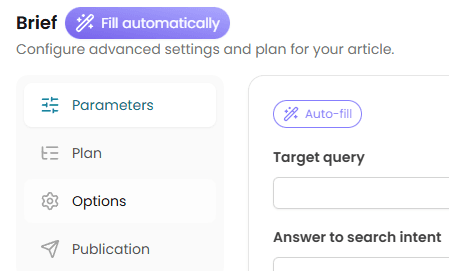
Wisewand offers two primary article generation modes, and choosing the right one for each piece of content directly impacts your ranking results. After generating over 50 articles across both modes, the pattern is clear: Autopilot handles 80% of your content needs, but Advanced Mode wins for the remaining 20% where precision matters.
This guide breaks down exactly when to use each mode based on keyword competition, content type, and your workflow goals. For the Autopilot workflow specifically, see our Autopilot V2 tutorial. For the full tool overview, read our Wisewand review.
Wisewand Autopilot Mode: Speed at Scale
How It Works
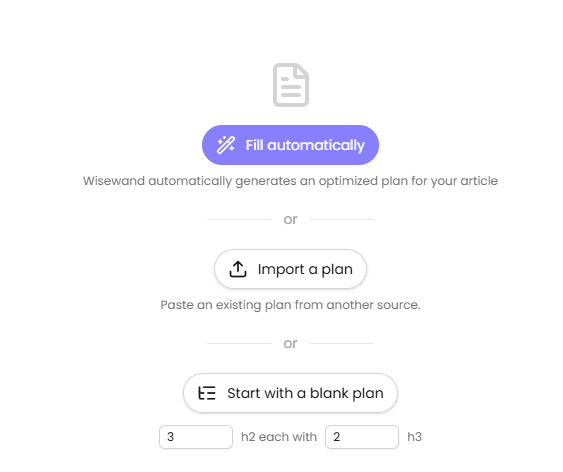
Enter one or more keywords (one per line), select your persona, click generate. Wisewand handles everything automatically:
- SERP analysis of top 10 ranking pages
- Semantic entity extraction and content brief creation
- Article generation (2,000-4,000 words)
- Internal link placement
- Meta title and description
- AI-generated images with alt text (0.5 credits per image)
The entire process takes under 3 minutes per article. For bulk generation, enter 10-20 keywords and let Wisewand process them sequentially.
Autopilot Strengths
- Speed: 3 minutes vs 15-20 minutes for Advanced Mode
- Consistency: Same quality level across all articles when persona is well-configured
- Bulk generation: Process multiple keywords in one session without manual intervention
- Lower skill floor: No need to understand content briefs or SEO structure. The AI handles optimization decisions
Autopilot Limitations
- No custom sources: You cannot feed specific URLs or data for the AI to reference
- Fixed structure: The AI determines heading structure, section count, and content flow. You cannot override these choices
- No supplementary instructions: You cannot add niche-specific directives like "write as a chef with 20 years experience" or "include local references to Lyon"
- Article length: Auto-optimized based on SERP analysis. You cannot force a specific word count
Wisewand Advanced Mode: Full Creative Control
How It Works
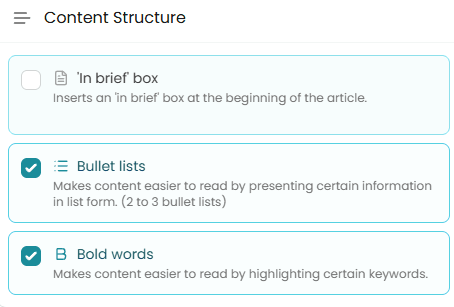
Advanced Mode gives you control over every parameter:
- Article type: Evergreen blog post or news/current events (uses Google News data)
- Target keyword + secondary keywords: Specify exactly what to optimize for
- Article length: Auto-optimized or forced to a specific word count (3,000-4,000 words recommended)
- Supplementary instructions: Free-text field where you can add persona-specific directives, local references, technical vocabulary, or structural requirements
- Custom sources: Feed specific URLs for the AI to reference when generating content
Advanced Mode Strengths
- Keyword precision: Target exact keyword clusters with secondary terms
- Supplementary instructions: The most powerful feature. As Wisewand's founders explain: "You can write as a plumber with 20 years experience by adding specific jargon and vocabulary in the instructions"
- Custom sources: Feed competitor URLs, research papers, or product pages for the AI to reference
- Forced length: Push articles to 3,000-4,000 words without quality degradation
- News mode: Access Google News data for timely, current events content
Advanced Mode Limitations
- Slower: 15-20 minutes per article including setup time
- Higher skill requirement: You need to understand which supplementary instructions improve output vs add noise
- No bulk generation: One article at a time
Want to try this yourself? Try Wisewand today →
Wisewand Decision Framework: Which Mode for Which Content
| Content Type | Best Mode | Why |
|---|---|---|
| Standard blog posts (low-mid competition) | Autopilot | Speed. SERP analysis handles optimization automatically |
| Competitive keywords (top 3 target) | Advanced | Custom sources + supplementary instructions differentiate your content |
| Affiliate product reviews | Neither - use Affiliation Mode | Dedicated mode with product-specific features |
| Local SEO content | Advanced | Supplementary instructions add city, neighborhood, local references |
| Technical/niche content | Advanced | Add domain-specific vocabulary and expertise signals in instructions |
| News/trending topics | Advanced (News type) | Google News data access for current events |
| Bulk content (10+ articles/session) | Autopilot | Multi-keyword batch processing |
| Content refresh/update | Advanced | Custom sources let you reference the existing article to improve |
Supplementary Instructions: The Advanced Mode Superpower
The supplementary instructions field is what makes Advanced Mode worth the extra time for high-value content. Here are proven instruction patterns from practitioners:
For Local SEO
Add location-specific context: "Write about [topic] with specific references to [city/region]. Mention local landmarks, businesses, and cultural context. Use neighborhood names and local expressions."
For Technical Niches
Add domain expertise: "Write as a [profession] with [X] years of experience. Use technical vocabulary: [list specific terms]. Reference industry standards: [list standards]. Avoid oversimplification."
For E-E-A-T Signals
Add credibility markers: "Include personal experience signals. Reference specific tools, methods, and processes used in practice. Cite industry sources. Mention common mistakes only professionals would know."
These instructions work because Wisewand's persona system combines them with the base persona profile, creating content that reads as genuinely expert rather than generically informational.
Hybrid Strategy: The Best of Both
The most productive workflow combines both modes:
- Week 1-2: Use Autopilot to generate 15-20 articles targeting long-tail keywords (100-500 monthly searches). These build topical authority and internal linking targets
- Week 3: Use Advanced Mode to create 3-5 cornerstone articles targeting head terms (1,000+ monthly searches). Reference the long-tail articles as internal links via semantic cocoons
- Ongoing: Autopilot for regular content cadence, Advanced for high-stakes pieces
This mirrors the content strategy that independent testers have used to achieve 68% top-10 rankings across 150 articles. The long-tail Autopilot articles build authority, while the Advanced Mode cornerstone pieces capture high-value traffic.
Ready to produce SEO content that ranks? Start writing with Wisewand →
Cost Comparison
Both modes cost 1 credit per article. The cost difference is your time:
- Autopilot: 3 minutes per article + 20 minutes review = ~23 minutes total
- Advanced: 10 minutes setup + 5 minutes generation + 30 minutes review = ~45 minutes total
For 20 articles per month, Autopilot saves roughly 7 hours compared to Advanced Mode. At $50/hour, that's $350 in productivity. Use that time on the 3-5 Advanced Mode articles that target your most competitive keywords.
For credit pricing across all plans, see our Wisewand pricing breakdown. Our exclusive promo code applies to all plans and credit packs. Still deciding between Wisewand and other tools? Check our alternatives comparison or the detailed Wisewand vs ChatGPT analysis.

Arnaud
SEO publisher and tool tester since 2020. I test AI SEO writing tools hands-on - generating real articles, tracking rankings, and measuring ROI - so you don't have to gamble your budget.